You are required to submit a monthly complaints return and a quarterly gifts and hospitality return on Journey.

Log in to journey and view your upcoming compliance returns tasks

On the left hand side of the screen, select "Compliance" and then click "Add New Return"

Select whichever compliance return is required

Fill out the details for the month/quarter that has just gone. If you have received any complaints or gifts or hospitality, click the green tab to bring up further details, then click save once completed
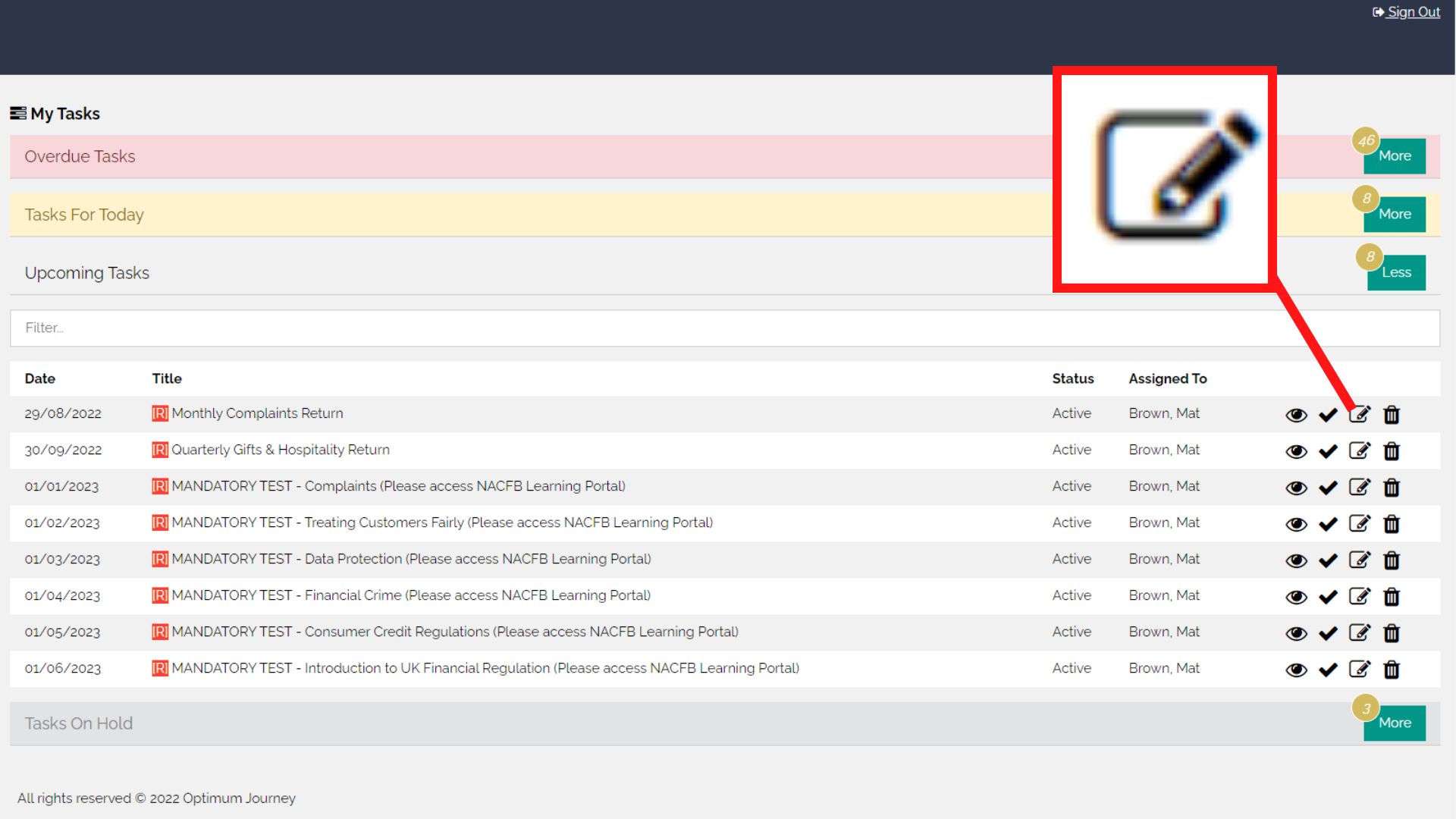
Once you have completed your required compliance returns, go back to your tasks and select the edit task button
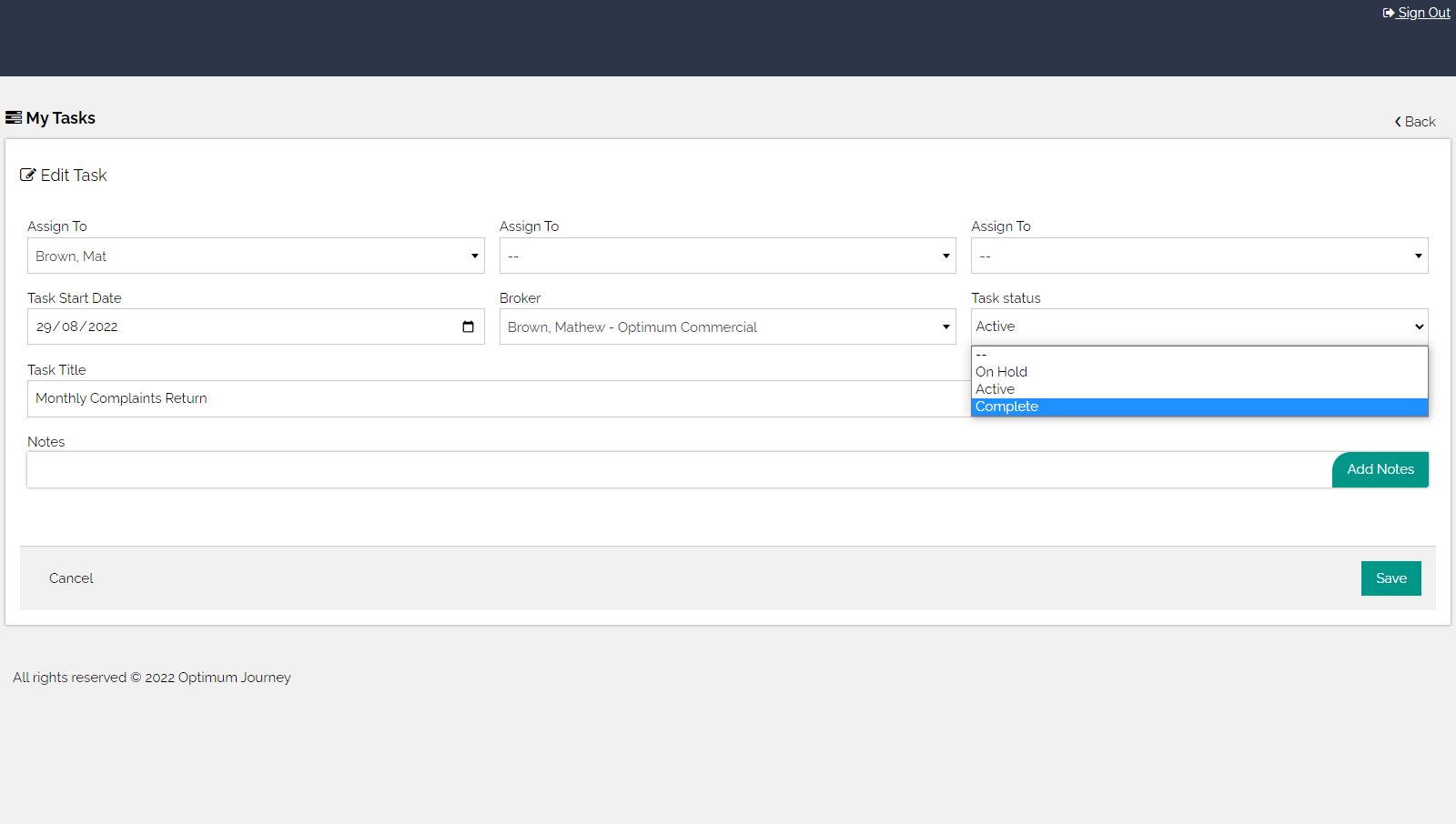
Select the "Task status" drop down menu and click "complete", then press save. This will set your compliance return as completed and automatically move the task on to the following month or quarter